Build your first bot team in about 5 minutes.
New to Grok Bot? Get it on the official site
Crewstart: a team builder for your Grok Bot
Answer a few quick questions about your work and life. You get a ready-to-paste setup prompt for your first bot, plus a plain-words checklist of what each connection allows.
- About 5 minutes. Five short steps, sensible defaults.
- No sign-in. Your answers and your prompt stay in this browser tab. Email is optional, and we'll only email you if you join the list and say so.
- Safe by default. Your bots always ask before sending messages or spending money. This tool never asks for passwords or keys.
- You stay in control. This tool doesn't connect anything. You approve each connection yourself, inside your bot.
First, what do you do?
All optional. A word or two is plenty.
What takes up your week?
Which tools do you use?
This only shapes the suggestions. Nothing gets connected here.
Anything outside work? (optional)
Want help outside work too? Pick any that apply, or skip this step.
How should your bots check in?
Here's your suggested team
Based on your answers. Templates count toward your 10 bots. Rename or remove anything (keep at least one custom bot).
Custom bots
Suggested templates
Ready-made Grok Bot templates, picked from your answers.
Your setup prompt asks your bot to find these in Bot templates and offer to add them. Nothing is imported from this site.
Smart AI suggestions
Get a few extra bots that know your profession and, if you added it, your city or region. Optional. Your regular team stays either way.
Smart suggestions are in your team below. Remove any you don't want, or turn them all off.
Usage Saver
Keeps your plan usage down. Checks weekly which bots and routines use the most and suggests cuts for you to approve.
Your crew is full. Remove a bot or template to add Usage Saver.
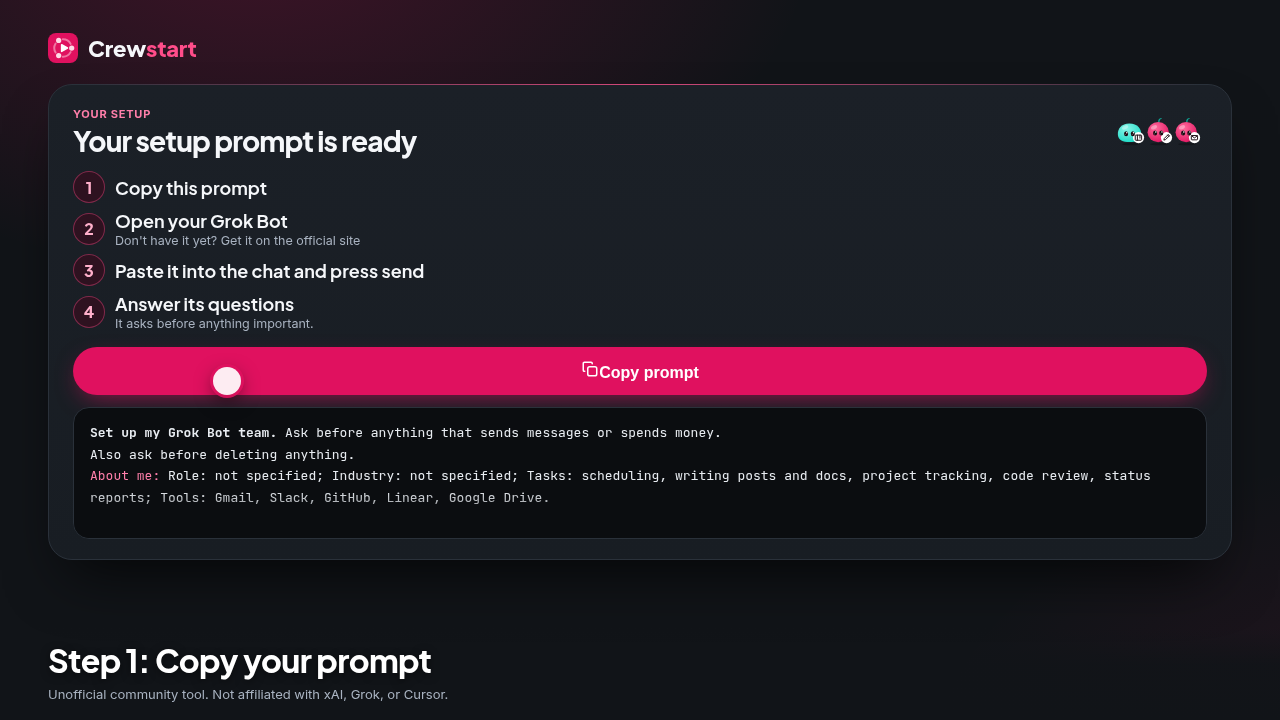
Your setup prompt is ready
- Copy this prompt
- Open your Grok Bot Don't have it yet? Get it on the official site
- Paste it into the chat and press send
- Answer its questions It asks before anything important.
Watch how (30 sec)
Copy, paste, and send. Your bot asks before it adds templates or does anything important.
Your crew
Connection checklist
What each connection would let your bots do. Connector names may differ, and some may not be available yet; your bot checks. You approve or skip each one.
What happens next
- Open your first bot and paste the prompt above.
- Your bot offers to add the suggested templates and creates each custom bot with the name and job listed.
- For each connection, your bot checks whether it exists and asks you to approve it. Say no to anything you don't want; it gets skipped.
- Your bot sets up the routines (briefings and digests) at the times you chose.
- You get a summary: templates added, custom bots created, connections made, anything skipped. Change anything later by asking your bot.
Never paste passwords, API keys, or access codes into a chat. Connections are approved through each service's own sign-in screen.
Want occasional AI tips?
Totally optional. Your prompt is yours either way.
Thanks, you're on the list.
Expect an email now and then, never daily. Every email has a one-click unsubscribe.